Web accessibility: what it is and why it matters to your business
Web accessibility for small businesses: who it helps, what European rules require and the simple fixes that let anyone use your website.
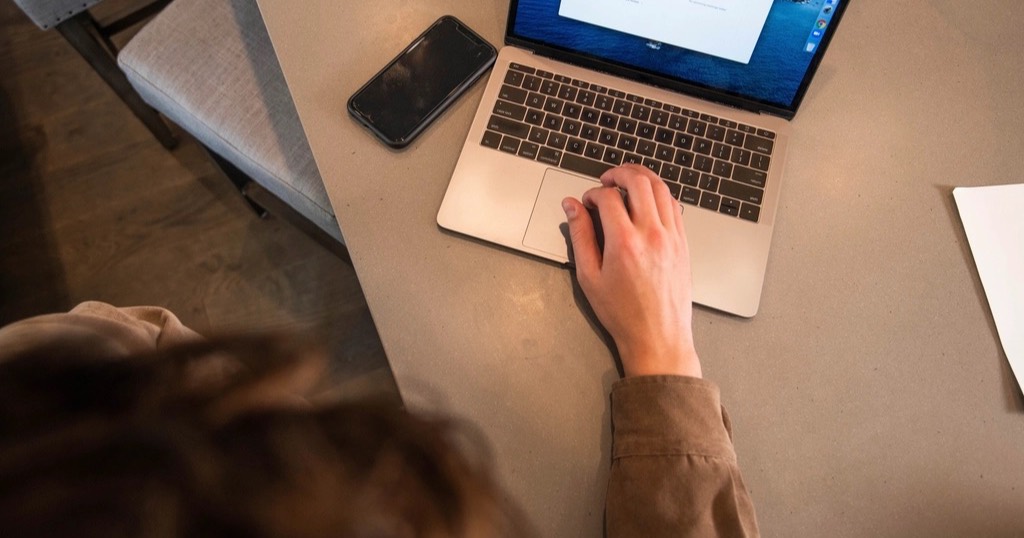
When people hear "web accessibility" they often think of something complicated or only for big companies. In reality it is very practical: anyone should be able to use your website, whether they see well or not, use a mouse or only a keyboard, can hear or not, are twenty or eighty.
And what improves accessibility almost always improves the website for everyone.
Who benefits from web accessibility
- People with low vision who enlarge text or use a screen reader.
- Older people, with less sharp eyesight or less ease with technology.
- Anyone using the website in bright sunlight, with one hand busy or in a hurry.
- People with colour blindness who cannot tell certain colours apart.
- Anyone who navigates by keyboard because of an injury or by preference.
What the rules say about web accessibility
In the European Union, the European Accessibility Act has applied since 28 June 2025 to certain products and services, including e-commerce and some consumer services. Microenterprises providing services (fewer than 10 employees and no more than €2 million in turnover) are exempt from those obligations. Outside the EU, other countries have their own laws, such as the ADA in the United States or the Equality Act in the UK.
Even if your business is exempt, covering the basics makes sense: it costs you no clients, it gains you new ones and Google understands a well-structured website better. In any case, if you are unsure about your situation, check with an adviser.
The web accessibility fixes that make the biggest difference
Enough contrast
Light grey text on white looks "elegant" and nobody can read it. Text must stand out clearly from its background.
Alt text on images
Every important image should have a description that screen readers read out ("Front of the clinic on the high street"). It also helps Google understand your photos.
Ordered headings
One main heading per page and subheadings in order. People can navigate by section and the page makes sense at a glance.
Links that say where they go
"See session prices" beats "click here". Screen reader users often skim through links only.
Works with a keyboard
Everything you can do with a mouse should be possible with Tab and Enter, and you should always see where the focus is.
Forms with clear labels
Every field with a visible name (not just grey text inside that disappears when you type) and error messages that explain what is missing.
Animations with a brake
For example, some people feel dizzy with sudden movement. A well-built website reduces animations when the user's system asks for it.
How to check web accessibility on your site
- Navigate it using only the keyboard.
- Zoom text to 200% and check nothing overlaps.
- Run the page through a free accessibility checker (the ones built into browsers are a good start).
- Ask an older person to complete a specific task, like booking an appointment.
On Nueva Página websites these things are standard: contrast, alt text, ordered headings and animations that stop if the system asks. See examples in work.
Where to start with web accessibility on an existing site
There is no need to redo everything at once. The biggest gains come from what every customer uses: text contrast, contact buttons and forms. After that, check that every image has its alt text and that headings follow a logical order.
For contrast, the WebAIM contrast checker tells you in seconds whether two colours read well together. In addition, the W3C's WCAG guidelines explain each web accessibility criterion with examples, although they are quite technical. So if you are not sure what to do next, ask someone to use your website with only a keyboard and watch where they get stuck. It is the most revealing test and, what is more, it costs nothing.
Frequently asked questions
Is an accessible website much more expensive?
If it is considered from the start, it barely costs more. What is expensive is fixing it later on a website that was not designed for it.
Do accessibility plugins solve everything?
No. Those widgets that change colours or sizes do not fix underlying problems (structure, labels, contrast) and sometimes get in the way.
Does web accessibility help SEO?
Yes: ordered headings, alt text and descriptive links are exactly what helps Google understand a page.
How often should I check accessibility?
Whenever you change something important on the website, such as a form or the menu. That way, new problems do not sit unfixed for months.
Are Nueva Página websites accessible?
Yes. They launch with good contrast, alt text, ordered headings and animations that stop if the system asks. You can check any of the published projects in work.